

 Single Faucet Kegerator Beer Dispensers
 Dual Faucet Two Tap Kegerators
 Triple Faucet Three Tap Kegerators
 Undercounter Built-In Kegerators
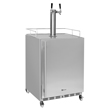 Outdoor Kegerator Beer Dispensers
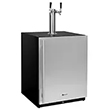 ADA Kegerators
 Commercial Kegerators
 Mini Kegerators
 Cold Brew & Nitro Coffee Dispenser Kegerators
 Home Brew Kegerators
 Carbonated Water Kegerators
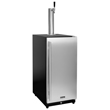 15" Kegerators
 Kombucha Equipment
 Guinness® Dispensing Kegerators
 Wine Kegerators
 Kegerator Cabinets
 Kegerator Covers and Accessories
 Kegerators
 Kegerator Conversion Kits
 Kegs & Keg Accessories
 Beer Faucets
 Beer Shanks
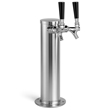 Draft Beer Towers
 Keg Taps Couplers
 Regulators & Gas Equipment
 Beer & Gas Line Hose
 Co2 and Nitrogen Air Tanks
 Beer Line Cleaning Equipment
 Drip Trays
 System Fittings
 Jockey Boxes
 Keg Beer Party Pumps
 Glassware
 Guinness® Dispensing Equipment
 Remote Glycol Systems
 Wine Cooler Refrigerators
 Wine Cellar Cabinets
 Wine Racks
 Cooling Units
 Wine Dispensing Systems
 Wine Accessories
 Wine Making
 Nitro Hot Draft System
 Ready to Drink Bag-in-a-Box Coffee Dispensing Equipment
 Nitrogen Infusers
 Nitrogen Tanks & Generators
 Nitrogen Beer Regulators
 Nitro Cold Brew Coffee Kegs
 Cold Brewed Coffee Tools
 Cleaning Equipment
 Outdoor Appliances
 ADA Appliances
 Panel Ready Appliances
 Commercial Grade Appliances
 Beverage Centers
 Refrigerators
 Drawer Refrigerators
 Ice Makers
 Water Dispensers & Accessories
 Freezers
 Home Brew Equipment Kits
 Fermentation Equipment
 Boiling and Mashing Equipment
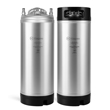 Home Brew Beer Kegs
 Home Brew Kegerator Conversion Kits
 Brewing Tools
 Home Brew Ingredients
 Cleaning Chemicals
 Test Equipment
 Home Brew Beer Bottles and Bottling Equipment
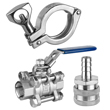 Brewery Fittings
 Draft Beer Equipment
 Homebrewing Equipment
 Wine Equipment
 Luxury Appliances and Refrigeration
 Coffee Equipment
 Kombucha
 The Beverage Blog
 Frequently Asked Beer Questions
 Shop by Brand
 Shop by Category
Ordering Help
With BeverageFactory.com Online Shopping Cart, it is simple to shop and purchase what you want... when you want it.
Step 1: Shopping Cart
Placing an Item in Your Cart
Once you have found an item that interests you, simply click the Purple "Add to Cart" button.
Each time you click the buy button, you will automatically be taken into a shopping cart page.
If you have finished shopping, you can proceed to the checkout page.
Step 2: Changing Item Quantities and Entering Your Zip Code Information.
If you wish to buy multiple quantities of an item you have placed in your Shopping Cart, change the number in the "Quantity" box. Be sure to click the "Update" button at the bottom of your list of Shopping Cart items to confirm any changes.
Deleting Items From Your Cart.
If you wish to delete an item in your Shopping Cart, simply change the number to "0" in the quantity column of your shopping cart and click on the "Update" button.
Shipping and Tax Charge Estimator
If you would like to find out your shipping charges and taxes, you can do so before you insert your shipping and billing information.
Enter your state and zip code and click the "Get Shipping & Tax Estimates". The page will refresh and display your estimated shipping charges and taxes.
Step 3: Check Out- Billing & Shipping Information
Enter all required information in the spaces provided. If you want to bill and ship to the same address, just place a check in the "Ship to my billing address" box so you don't have to enter the same information twice. To erase all fields and begin again, click on the "Reset" button. When finished, click on the "Continue To Checkout" button.
Step 4: Payment Method
The final page in the checkout process let's you confirm all of the information you have entered for purchasing your order (items ordered, shipping method, taxes, billing address and shipping address). If you want to change your shipping method, use the shipping pull down menu to see your options. If you need to make other changes, click on the "back" button. If all information on this page is correct, click on the "Check Out" button.
Step 5: Payment Confirmation
Your order has now been placed. You will receive an e-mail confirmation of your order within an hour of placing it. 24-48 hours later, you will receive a shipping confirmation e-mail with a tracking number.